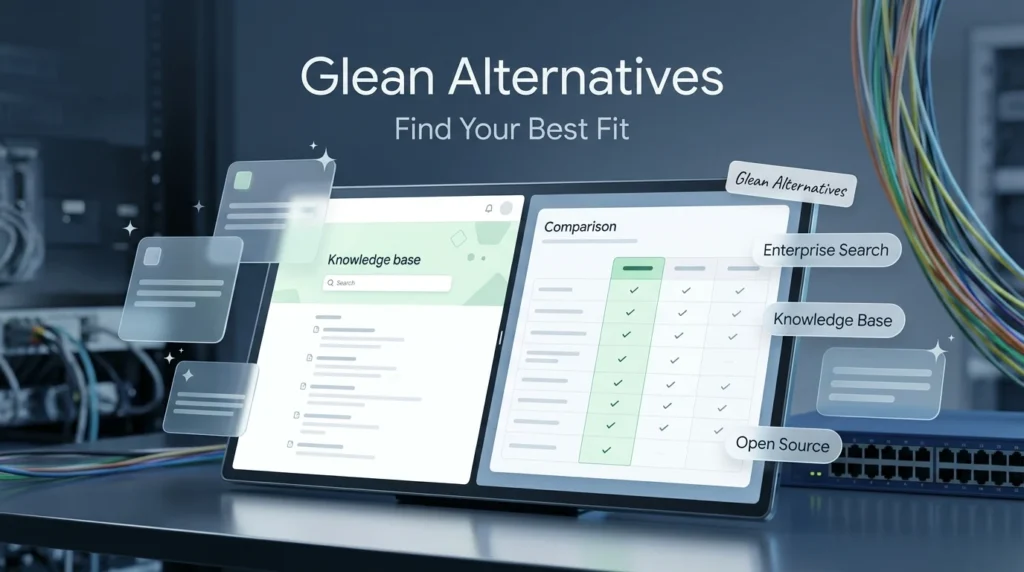
Six products compete with Glean for enterprise knowledge search, and they fall into three groups: knowledge-base tools, suite-bundled assistants, and custom builds. The right pick depends on your data sources, your deployment constraints and how much you want to own. The table below gives a stated verdict for each.
Which Glean Alternatives Fit Enterprise Knowledge Search?
Glean is the reference point. On 2026-05-28 the company said it had surpassed $300 million in annual recurring revenue, 15 months after reaching $100 million. That scale matters for buyers because it signals a mature connector library and a vendor that will likely stay independent of any single suite. It does not make Glean the right fit for every organization.
The comparison below uses identical columns for every option. Pricing signals are what each vendor publishes, as of the dates in this article. Where a vendor leaves pricing to a sales conversation, the table says so.
| Option | Type | Published pricing signal | Best fit | Verdict |
|---|---|---|---|---|
| Guru | Knowledge-base tool | $25 per seat per month on the Predictable Plan (as of 2026-08-27) | Teams that want a verified internal knowledge base | Strongest choice when budget clarity and curated answers matter more than connector breadth |
| sourcecodelab.ai | Custom build | Quoted per project | Organizations with unusual data sources, permission rules or workflows | Best when no packaged tool fits, but expect a longer path to launch |
| Onyx | Open-source assistant | Free community tier, cloud from $20 per user per month on annual billing (vendor-published) | Teams that need self-hostable, open code | Good middle path between packaged and custom, with engineering time on your side |
| Amazon Quick Suite | Suite-bundled assistant | Set through AWS, confirm on the AWS pricing pages | Teams already committed to AWS | Natural pick inside an AWS estate, less so outside it |
| Notion | Workspace with AI search | Left to the vendor | Teams whose knowledge already lives in Notion | Practical when the workspace is the source of truth |
| Kore.AI | Enterprise AI agent platform | Left to the vendor | Organizations that want search plus conversational agents | Worth a look when agents, not only search, are the goal |
Here is how the group labels work. Guru and Notion are knowledge-base tools, where the content is curated inside the product. Quick Suite is the suite-bundled assistant, tied to a cloud platform. Onyx and sourcecodelab.ai sit on the build side. Onyx gives you open code to run yourself, while sourcecodelab.ai is a custom AI development firm that scopes and builds knowledge and agent systems around a client's own data, with pricing quoted per project. Kore.AI straddles the platform and agent categories.
On review sentiment, the G2 product reviews ranking of Glean alternatives, dated June 2026, lists Guru at 4.7 out of 5 from 2,318 reviews, Notion at 4.6 from 11,957 and Kore.AI at 4.6 from 474. Treat the ratings as a signal about user satisfaction, not about fit with your stack. A 4.6 from nearly 12,000 reviews and a 4.6 from 474 are different levels of evidence.
Guru vs Glean: Which Knowledge Base Fits Better?
Guru fits a team that wants a verified internal knowledge base with published base pricing, while Glean fits an organization that needs broad connectors across many enterprise systems. They solve adjacent problems, and buyers often compare them because both promise faster answers from company knowledge.
The core difference is where the answer comes from. A knowledge-base tool like Guru centers on curated cards and verified content. Someone owns each piece of knowledge, and the product nudges them to keep it current. A search-across-everything assistant like Glean indexes content where it already lives, across ticketing, documents, chat and code, and answers from that material. The first gives you trust and structure. The second gives you reach and less authoring work.
That trade-off should drive the decision more than a feature checklist. If your support or sales teams keep asking the same questions and the answers are stable, curation pays off. If the answers are scattered across dozens of systems and nobody has time to author them, a search layer is closer to what you need.
What Guru Costs
Guru publishes a base price of $25 per seat per month on its Predictable Plan, as of 2026-08-27. Its 4.7 rating on G2, from 2,318 reviews, is the highest in the June 2026 ranking cited above. Glean does not publish a comparable list price. Its pricing is quoted and varies by contract, so any claim that one is cheaper than the other needs a quote in hand.
Cost Lines to Add
A per-seat number is the start of the budget, not the end. Add these before comparing totals:
- Integrations: Confirm which of your systems connect natively and which need custom work or a higher plan.
- Admin time: Curated tools need owners. Budget hours for content review, not just for setup.
- Minimum seats: Ask whether a minimum seat count or contract term applies, and whether read-only users count as seats.
- Rollout and training: Adoption work is real, and it is rarely in the quote.
Run the same list against Glean's quote. The comparison is only fair when both sides include the same lines.
Onyx vs Amazon Quick Suite: Open Source or AWS-Native?
Onyx suits teams that need open, self-hostable code, while Amazon Quick Suite suits teams already committed to AWS and succeeding Amazon Q Business. The two sit at opposite ends of the control-versus-convenience spectrum.
Onyx
Onyx is the current name of the product once called Danswer, so older write-ups under the previous name describe the same project. In September 2026 Zoom acquired Onyx and said the product will remain standalone, open source and self-hostable. That is a stated intention from the acquirer, so watch the license and the release cadence after the deal closes rather than assuming nothing changes.
On pricing, Onyx publishes a free community tier and a cloud tier starting at $20 per user per month on annual billing. The code is MIT-licensed. These figures come from the vendor itself, dated May 2026, so confirm them before you build a budget around them. The free tier costs nothing in licensing but not nothing in labor. Self-hosting means your team handles deployment, upgrades, connector maintenance, access controls and model hosting or API spend.
The MIT license is the practical draw. It permits modification and internal use with few restrictions, which matters if your security team wants to inspect the code or if you need to run entirely inside your own network.
Amazon Quick Suite
Amazon Quick Suite is the AWS-native option and the successor to Amazon Q Business. If your identity, data stores and compliance posture already live in AWS, the appeal is straightforward: fewer vendors, existing agreements, and billing through an account you already have. If you are migrating from Q Business, check what carries over in connectors and configuration instead of assuming parity.
The cost of that convenience is gravity. A tool built for one cloud works best when your data sits in that cloud. If half your knowledge lives in SaaS systems outside AWS, test those connectors early.
The Short Version
Pick Onyx when you want to inspect, modify and host the code, and you have engineers to run it. Pick Quick Suite when AWS is already your center of gravity and you want a managed service. If neither description matches your situation, the next section matters.
When a Custom Build Beats a Packaged Glean Alternative
A custom build beats a packaged product when your data sources, permission rules or workflows do not fit any off-the-shelf tool. That is a narrower case than vendors who sell builds would like you to believe, but it is real.
Signs you are in that case:
- Unusual sources: Critical knowledge sits in internal databases, legacy systems or document formats that no connector library covers.
- Complex permissions: Access depends on rules, such as client matters, deal rooms or regional restrictions, that a standard sync of source permissions cannot express.
- Workflow needs: The goal is an answer, but also an action, such as filing a record, routing a request or drafting a response inside your own process.
- Data residency or model constraints: You must control where data goes and which models touch it.
The Trade-Offs
Be honest about the costs. A custom build takes longer to reach production than turning on a packaged product. You also take on ownership after launch. Someone has to monitor answer quality, update connectors when source systems change, and handle model upgrades. If nobody inside your organization will own that, a packaged tool with a vendor-run roadmap is the safer choice.
Then run a fit check against your actual systems before committing. List every source, who may see what, and which answers must be traceable to a document. Then test one packaged option against that list. If it clears the list, buy it. If it fails on something that matters, you have a concrete requirement to scope a build around.
Firms such as sourcecodelab.ai work in this space, scoping the system around your data and quoting per project. Whatever partner you consider, ask for a scoped pilot against a real slice of your data before agreeing to the full build. Do not accept a promised outcome in place of evidence from your own content.
For a framework on vetting partners, see Hyper Automation Companies: Leading Vendors and How to Choose. The criteria there, such as delivery track record, integration experience and support after launch, carry over to knowledge and agent projects.
How Should Buyers Pick a Glean Alternative and Verify Pricing?
Buyers should filter options by data sources, deployment model and model control, then confirm pricing directly with the vendor because published figures changed through 2026. A table in an article, including the one above, is a starting point and not a quote.
Start with the filters in order. First, data sources: which systems must be searchable on day one, and which are nice to have. Second, deployment: SaaS, your own cloud account or fully self-hosted. Third, model control: who decides which models process your data, and can you change them later.
Model Choice Is Now a Buying Criterion
Two recent Glean moves show how vendors now sell model choice and procurement. On 2026-11-03, Glean became a launch partner in Fireworks AI's ecosystem. Admins can choose which supported open models run in Glean Assistant and Agents. On 2026-10-26, Glean was listed on Anthropic's Claude Marketplace, so Anthropic customers can apply committed spend to Glean. The first is about control over the model. The second is about how you pay. Ask every vendor on your shortlist the same two questions: can admins pick the model, and can the purchase run through a cloud or model-provider commitment you already hold.
Use a Neutral Risk Checklist
For data handling and risk review, the NIST AI Risk Management Framework is a useful neutral checklist. Its structure for governing, mapping, measuring and managing AI risk gives you questions to put to every vendor in the same words, from how training data and prompts are retained to who reviews failures.
Check the Date on Every Number
Older guides still cite Glean at $100 million in annual recurring revenue or a $7.2 billion valuation. Those figures predate Glean's May 2026 statement that it passed $300 million in ARR. Treat any comparison that uses them as stale, and apply the same skepticism to prices. Get written quotes with the same scope from each vendor, including seats, connectors, model usage and support, and record the date you received them.
Glean Alternatives and Competitors FAQs Buyers Ask Most
Is Onyx Free to Use as a Glean Alternative?
Partly. Onyx offers a free community tier and MIT-licensed code, and its cloud tier starts at $20 per user per month on annual billing. Those figures are vendor-published. Self-hosting is free of license fees but not of engineering and infrastructure costs.
Does Zoom's Acquisition of Onyx Change What the Product Is?
Zoom acquired Onyx in September 2026 and says the product will remain standalone, open source and self-hostable. On that basis the product is unchanged today. Because it is a stated plan, review the license terms and release activity before you commit long term.
How Large Is Glean Now Compared with Older Guides?
Glean said on 2026-05-28 that it had surpassed $300 million in annual recurring revenue, 15 months after reaching $100 million. Guides that cite $100 million in ARR or a $7.2 billion valuation use earlier figures.
What Does Guru Cost Compared with a Glean Alternative?
Guru publishes a base price of $25 per seat per month on its Predictable Plan, as of 2026-08-27. Glean's price is quoted and varies by contract, so a direct comparison requires a quote. Add integrations, admin time and any minimum seats to both sides.
Can a Glean Alternative Let Admins Choose the AI Model?
Yes, some can. Glean itself now lets admins choose which supported open models, served through Fireworks AI, run in Glean Assistant and Agents. Open-source and custom options give you more control still. Ask each vendor what model choice is available on the plan you are quoted.

Kush Desai
Kush Desai is the CEO and Founder of Source Code Lab AI, building production-grade AI agents and automations for enterprise operations. With 80+ systems shipped across 25+ clients in 13 industries, he specializes in deploying agentic AI systems that work reliably in manufacturing, pharma, oil & gas, and industrial operations.
See full bio and all articles