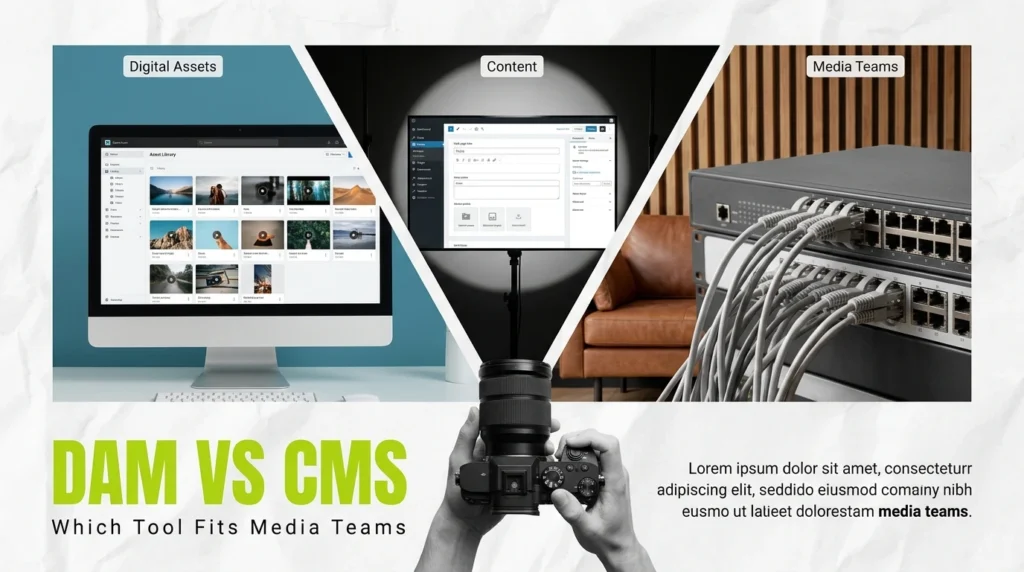
A digital asset management system (DAM) stores, governs and finds media files, while a content management system (CMS) builds and publishes pages and experiences. For media teams the practical verdict is that a DAM fits asset-heavy workflows, a CMS fits text-led publishing, and most teams with multiple channels end up running both.
What Is the Difference Between a DAM and a CMS?
A DAM treats the file as the primary object. It holds originals, renditions, metadata, usage rights and approval history. A CMS treats the page, article or structured entry as the primary object. It holds copy, layout rules, templates and the logic that assembles them for a site or app. Both have metadata, permissions and search, which is where the confusion starts.
| System | Primary job | Main users | Strength | Typical gap | Verdict |
|---|---|---|---|---|---|
| DAM | Store, govern and find media files | Brand, creative, photo and video teams, rights managers | Rights, versions, renditions, search | Weak at building pages and publishing flows | Fits when assets are the bottleneck |
| CMS (traditional and headless) | Build and publish pages, articles and app content | Editors, web producers, developers | Structured content, templates, publishing workflow | Thin governance for rights, expiry and large media libraries | Fits when text-led publishing is the bottleneck |
| DAM plus CMS | DAM holds and governs assets, CMS delivers them | Creative, editorial and engineering together | Governed assets reaching many channels | Integration upkeep and sync drift | Fits when assets feed multiple published channels |
The labels blur because headless products keep moving toward the middle. Hygraph notes that today's headless CMSs are blurring the lines, and many now ship asset libraries with image transformations. Meanwhile DAM vendors add portals and content hubs that look like publishing tools. A feature page that says "asset management" tells you little. Ask two questions instead. Which system is the record for rights and approvals? Which system assembles the page a reader sees?
If you are placing this choice inside a wider governance program, our guide to ECM strategy for enterprise content management covers the layer above both tools.
Digital Asset Management vs Content Management: Which Fits Which Job?
A DAM fits teams whose main problem is finding, approving and licensing images, video and audio across channels. A CMS fits teams whose main problem is publishing structured pages and articles. The four jobs below show where each one is strong.
Rights tracking: A DAM can attach license terms, territories, usage windows and expiry dates to the asset itself, then alert owners or restrict downloads when a term lapses. A CMS usually stores a credit line in a field. That is not the same as enforcement.
Version control of renditions: One hero image becomes a dozen crops, formats and resolutions. A DAM keeps those renditions tied to the master, so replacing the master can refresh them. A CMS tends to version the entry, not the lineage of each derived file.
Metadata and search: DAM search runs on controlled vocabularies, custom fields and often AI-assisted tagging. If you want interoperable descriptive fields, the Dublin Core metadata standard is a sensible baseline for title, creator, rights and date. A CMS searches its own content types well, but rarely goes deep on a photographer's contract terms or a video's shot list.
Publishing workflow: Here the CMS wins. Drafts, editorial review, scheduled releases, preview, localization and component reuse are its core business. A DAM approval flow signs off an asset. It does not sign off a story.
Volume matters too. Bynder's Q4.1 release supports batch uploads of up to 1,000 assets, with a new Asset API and batched notifications. For a high-volume media library, bulk ingest and programmatic access decide whether a DAM keeps pace with a newsroom or an agency's weekly output.
On vendor maturity, Bynder was named a Leader in the IDC MarketScape assessments for worldwide DAM in 2026, as it was in the 2024 report. Treat that as one signal that the category has established players. It is not a recommendation, and it says nothing about fit with your workflow.
Why Do Most Media Teams End Up Needing Both Systems?
Most media teams need a DAM as the system of record for assets and a CMS as the system of delivery for pages and apps. The split follows the work. Assets are created, rated, licensed and archived once. They are published many times.
Aprimo frames it the same way, with the DAM as the system of record and the CMS as the system of delivery. Playbook goes a step further and advises that a CMS should be bought in addition to a DAM, not instead of one. Both are vendor positions, so weigh them accordingly. The logic holds up in practice, though, because the two tools are optimized for different objects.
The risk of running two systems is drift. Without a clear source of truth, three problems show up:
- Duplicate files: Editors upload a copy to the CMS because the DAM link is slow or unfamiliar.
- Stale renditions: The master is corrected in the DAM, but the live site still serves the old crop.
- Lost rights data: A license expires in the DAM, but the CMS copy has no expiry and stays published.
The fix is architectural, not procedural. Publish by reference, not by copy. The CMS should store an asset ID and pull renditions from the DAM through its API or a connector, so a change upstream propagates. Decide early which system owns each field.
Broadcast and live-event teams add another layer. MAM, or media asset management, refers to systems built for production-stage media such as raw footage, edit versions and broadcast masters, with ingest, transcoding and production workflows. Nomad Media describes MAM as best for media and entertainment teams, broadcast newsrooms and live event production. It also says an enterprise media company needs DAM-level asset governance and MAM-level production workflows, often at the same time. For those teams the stack can be three layers, not two.
What Does a DAM and CMS Setup Cost Media Teams?
A pairing costs the license for each tool plus integration work, and CMS pricing is often per seat. The seat math is easy to model. DAM pricing and integration effort are not, so get quotes for those.
For the CMS side, Flozic's pricing check on 2026-10-28 found that Sanity is free for 20 users and its Growth tier costs $15 per seat per month. Using those two figures, here is a worked example. It depends on each vendor's current rate card and is subject to change.
| Line item | 40-person editorial team, paid tier | 12-person team, free tier |
|---|---|---|
| CMS seats | 40 seats at $15 a month is $600 a month, or $7,200 a year | $0, within the 20-user free allowance |
| DAM licensing | Separate line, vendor quote required | Separate line, vendor quote required |
| Integration budget | Separate line, scoped to channels and asset volume | Separate line, scoped to channels and asset volume |
Two points follow. First, the seat line is usually the smallest part of the bill. Not every one of the 40 editors may need a paid seat, so check how the vendor defines a user. Second, the free tier changes the comparison only for the CMS. The DAM license and the integration still sit on top, and the integration is the line most often left blank in early budgets. Include connector setup, field mapping, rendition rules, testing and the engineering time to maintain it after launch.
For market context, a ResearchAndMarkets forecast, published through GlobeNewswire, projects the DAM market to grow from about USD 6.23 billion in 2025 to USD 14.51 billion by 2031, a 15.4% CAGR. Forecasts are estimates, but the direction signals sustained vendor competition. That gives buyers some bargaining power in negotiation and a reason to ask for multi-year price protection.
How Should a Media Team Choose Between DAM, CMS or Both?
Choose a DAM alone when assets are the bottleneck and content lives in other channels. Choose a CMS alone when the team publishes text-led content with few shared media assets. Choose both when assets feed multiple published channels.
Run your team through this checklist:
- Who owns asset metadata day to day, and do they have time to keep it clean?
- How many channels publish from one asset?
- Must rights and licensing expiry block publishing automatically?
- Can the current team maintain an integration after the vendor or consultant leaves?
If the answer to the third question is yes and the answer to the second is more than two, a pairing is almost certainly justified. If nobody owns metadata, neither tool will rescue you. A DAM without a metadata owner turns into an expensive folder tree.
Version status matters if you are building headless. FocusReactive lists Payload 3.x, currently v3.92.x, as stable and the recommended production line, with Payload 4.0 in public beta since October 9, 2026. Liferay's headless CMS is now an opt-in release flag in its 2026.Q1 LTS line, per Liferay's documentation. It was previously in beta, so confirm the flag's status against your own release before you plan around it.
For related guidance on tooling and workflow for publishers and production teams, see our media resources.
Digital Asset Management vs Content Management FAQs Media Teams Ask
Can a CMS Replace a DAM for a Media Team?
For small libraries with a single publishing channel, a CMS media library can be enough. Once you need rights enforcement, rendition lineage, bulk ingest or reuse across channels, a CMS usually falls short. Most vendor guidance, including Playbook's, treats a CMS as an addition to a DAM, not a substitute.
Does a DAM Need a CMS to Publish Content?
Not always. A DAM can share assets through portals, links and downloads, and some offer light publishing. It does not build pages, manage editorial workflow or handle templates. If your output is pages, articles or app screens, you need a CMS or a similar delivery layer.
How Much Does a Headless CMS Cost per Seat?
It varies by vendor and tier. Flozic's check on 2026-10-28 found Sanity free for 20 users and Growth at $15 per seat per month. Other vendors price by usage, content volume or flat tiers, so confirm each current rate card before budgeting.
When Does a Media Team Need a MAM Instead of a DAM?
A MAM fits when the work centers on production-stage media, such as broadcast newsrooms, live event production and raw footage with transcoding and edit workflows. A DAM fits finished brand and marketing assets. Enterprise media companies often need both governance and production workflows at the same time.
Is Payload 3.x or 4.0 the Safer Headless CMS Choice for a New Build?
Payload 3.x is the safer choice today. It is the stable, recommended production line, currently v3.92.x. Payload 4.0 has been in public beta since October 9, 2026, so evaluate it in a branch but do not build a production system on it until it reaches a stable release.

Gaurav Choudhary
Gaurav Choudhary oversees delivery and operations at Source Code Lab, ensuring AI agents integrate seamlessly into client workflows and scale reliably in production. His expertise spans coordinating multi-agent systems, complex enterprise integrations, and post-launch optimization across diverse industries.
See full bio and all articles