Which Customer Support Software Solutions Belong on a 2026 Shortlist?
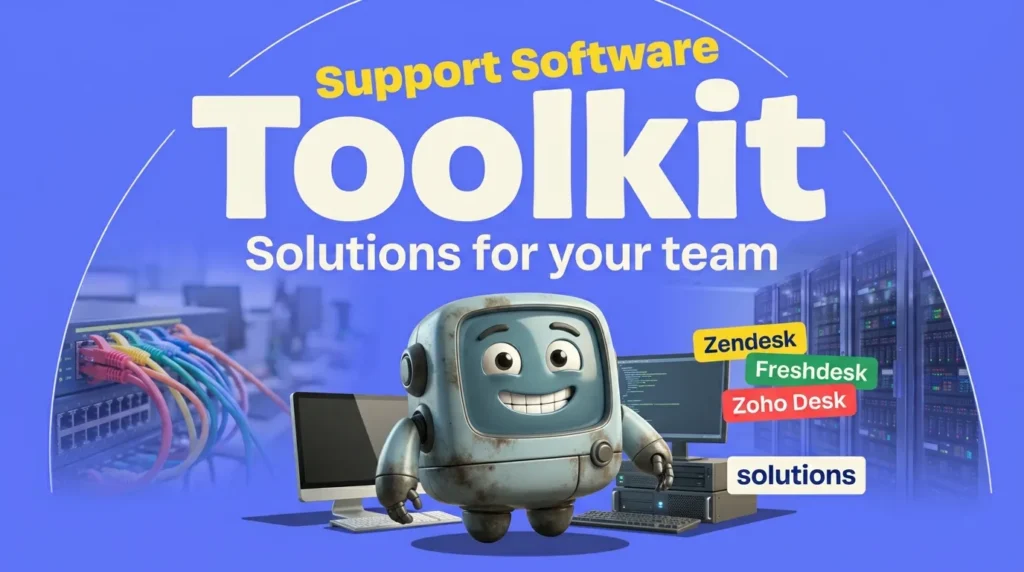
The shortlist is Zendesk, Fin, sourcecodelab.ai, Salesforce Service Cloud, Freshdesk, Zoho Desk, Help Scout, Gorgias and Front, and which of them belong on yours depends on ticket type and team size. The third entry is not a helpdesk product. sourcecodelab.ai is a custom AI development firm that builds AI support agents and ticket automation for a client's own systems. It fits when a packaged tool cannot reach your data. The other eight are products you subscribe to.
Pricing is where the market moved most this year. Zendesk, Fin and Salesforce now bill for automated resolutions, so a per-seat quote no longer tells you the real cost. The table below prices each option by its main signal as of November 18, 2026. Where we do not have a verified figure, we say so rather than guess.
| Option | Best for | Pricing signal | Verdict |
|---|---|---|---|
| Zendesk | Mid-size and large teams with many channels | Seat plans plus tiered billing for automated resolutions since May 18, 2026 | Strong fit if you want one mature platform and can forecast AI volume |
| Fin | Teams that want an AI agent resolving conversations | $0.99 per outcome | Predictable per unit, but watch contract terms after the Salesforce deal |
| Salesforce Service Cloud | Teams already built around Salesforce CRM | Core at $195 per user per month, Agentforce Help Agent at $2 per resolution | Right if CRM data drives service, expensive otherwise |
| Freshdesk | Small teams starting with a shared inbox | Free tier for very small teams, paid plans above it | Low-risk starting point |
| Zoho Desk | Teams already on the Zoho suite | Per-agent plans, check current rates | Best when your CRM is Zoho |
| Help Scout | Teams that value a simple inbox and knowledge base | Per-user plans, check current rates | Clean and fast, lighter on automation |
| Gorgias | E-commerce stores | Check current plan structure | Order data beside tickets is the draw |
| Front | Teams collaborating on shared email | Per-seat plans, check current rates | Good for internal collaboration on inbound mail |
One product is missing. Microsoft's 2026 release wave 1 page for Dynamics 365 Customer Service is now marked archived and no longer maintained, so we left it off the shortlist for now. If you run Microsoft already, start from Microsoft's Dynamics 365 Customer Service documentation and check the wave 2 updates, which focus on service quality, simpler performance evaluations and multilingual conversations.
How Do Zendesk, Fin and Salesforce Bill for AI Resolutions?
All three now charge for automated resolutions, not seats alone. That changes how you model cost, because the bill follows ticket volume and AI success rate rather than headcount.
Zendesk
Zendesk has billed automated resolutions in tiers since May 18, 2026. Its November 2026 release notes add two practical changes. Salesforce actions in action flows now accept custom fields and standard or custom objects, and AI-built flows can be generated from plain-text descriptions. If your CRM is Salesforce, that narrows a gap Zendesk had. The status of the older $50 per agent per month Advanced AI add-on is unclear. One source says it was absorbed into Suite and Support plans in May 2026, while another still lists a $50 Copilot add-on. Get the answer in writing before you sign.
Fin and the Salesforce Deal
Fin is listed at $0.99 per outcome. The company was Intercom until May 12, 2026, when it renamed itself Fin and kept "Intercom" as the name of its help desk product. Salesforce signed a definitive agreement to acquire Fin for $3.6 billion on June 15, 2026, and completed the acquisition on September 10, 2026. Service Cloud's pricing page now lists Fin among its add-ons.
This is where the buying decision shifts. As of October 15, 2026, Salesforce had not announced plans to discontinue Fin's standalone product or to force existing customers onto Agentforce. That is the absence of an announcement, not a commitment. If you buy Fin without Salesforce, ask for terms that cover price and product continuity. If you already run Salesforce, compare Fin's per-outcome rate directly against the native option.
Salesforce
Agentforce's Help Agent was announced June 25, 2026 and became generally available in July 2026 at $2 per resolution. Service Cloud Core is listed at $195 per user per month. So a Salesforce team pays for the seat and then for each AI resolution on top. Fin's $0.99 is roughly half the Help Agent rate, although the two products differ in what counts as a resolution. Read each vendor's definition before comparing the numbers.
What the Market Says About Cost Risk
Gartner predicted on October 26, 2026 that AI agents on uncapped, token-linked pricing will overrun cost expectations by more than 50% through 2027. See Gartner's published research on AI agent pricing for its wider commentary. Per-resolution pricing is more predictable than token pricing, but it still scales with volume.
A pricing index published in October 2026 checked 32 AI customer support agents. Only 18 publish a comparable price. Those prices run from $0.20 to $2.00 per unit with a median of $0.895, based on prices checked September 24, 2026. Fin sits slightly above that median and the Help Agent sits at the top of the range. Fourteen vendors publish nothing comparable, so a quote request is part of the work.
Which Helpdesk Suits a Small Team: Freshdesk, Zoho Desk or Help Scout?
Freshdesk fits a small team with a shared inbox and few routing rules, and the choice turns on how many channels you cover and what reporting you need. All three tools handle the basics. They differ in how much automation they put around the inbox and in which ecosystem they sit.
Freshdesk: It offers a shared inbox, ticket automation and a free tier that works for very small teams. It is the easiest place to start if you are leaving a personal mailbox and want tickets, assignment and canned replies without a procurement cycle. Expect to move up a plan once you need deeper automation or reporting.
Zoho Desk: It is a strong fit for teams already on the Zoho suite, because customer records and deals sit in one place. It also brings routing and SLA rules, which suits teams with response-time commitments. If your CRM is not Zoho, the advantage shrinks.
Help Scout: It gives you a simple shared inbox and a knowledge base, with fewer automation rules. That is a feature for teams that want conversations to feel like email rather than a ticket queue. It is a weaker choice if you need elaborate routing or strict SLA timers.
A Short Decision Checklist
- Channel count: Email only points to Help Scout. Email plus chat, social and phone points to Freshdesk or Zoho Desk.
- Need for SLA timers: If contracts or internal targets depend on response times, favor Zoho Desk or Freshdesk over Help Scout.
- Existing CRM: If you run Zoho, start with Zoho Desk. Otherwise weigh integration depth with whatever CRM you use today.
We have not quoted plan prices here, since they change and vary by billing cycle. Pull current figures from each vendor. If you are coming off a larger platform, our guide to Zendesk alternatives compared by criteria walks through the same trade-offs from the other direction.
Where Do Gorgias, Front, Hiver, Gladly and Richpanel Fit?
Gorgias suits e-commerce teams that need order data beside tickets, while Front, Hiver, Gladly and Richpanel suit teams that run shared inboxes or conversational service. Each solves a narrower problem than a general helpdesk, and that focus is the reason to pick it.
Gorgias: It is built around e-commerce support. Agents can look up orders and use e-commerce macros without leaving the ticket. Verdict: choose it if most of your tickets are "where is my order" and returns.
Front: It centers on collaboration over a shared email inbox. Teams can assign, comment on and discuss messages internally before replying. Verdict: choose it when support overlaps with account management or operations and people need to work on the same thread.
Hiver: It runs shared inboxes inside Gmail, so agents stay in the interface they already know. Verdict: choose it if your team lives in Google Workspace and wants minimal change.
Gladly: It organizes service around the customer, with conversation history carried across channels instead of splitting into tickets. Verdict: choose it when continuity of relationship matters more than queue management.
Richpanel: It is an e-commerce helpdesk that brings Shopify-style order context into the conversation. Verdict: choose it as a Gorgias alternative when you want to compare two e-commerce-focused tools before committing.
One cost point applies across all five. Zendesk's tiered AI pricing and Fin's per-outcome rate set the benchmark buyers hold against these tools. Per-resolution cost is now a line item in the business case for each of them, whether the tool bills for it directly or you add an AI layer from another vendor. Ask every vendor how it defines a resolution and how it handles conversations a customer reopens.
How Should a Team Choose, and When Does Custom AI Make Sense?
List must-have requirements from real ticket types, price each option against last quarter's volume including AI resolutions, and keep a shortlist of two or three. Everything else is detail. A feature grid will not tell you which tool is cheaper at your volume, but your own ticket export will.
A Worked Example: 4,000 Tickets a Month
The numbers below are hypothetical. Assume 4,000 tickets a month, a team of 10 agents, and an AI agent that resolves a share of those tickets. Seats use Service Cloud Core's $195 list price and per-resolution rates use Fin's $0.99 and the Help Agent's $2.
| AI resolution rate | Resolutions | Per outcome at $0.99 | Per resolution at $2.00 | 10 seats at $195 |
|---|---|---|---|---|
| 20% | 800 | $792 | $1,600 | $1,950 |
| 40% | 1,600 | $1,584 | $3,200 | $1,950 |
| 60% | 2,400 | $2,376 | $4,800 | $1,950 |
The seat cost stays flat while the AI cost climbs with success. At a 60% resolution rate, the $2 option costs more than twice the seat bill. The better your AI performs, the more the pricing model matters. Run the same math at your own peak month, not your average one.
Where Off-the-Shelf Tools Break
From our delivery work building AI support agents, packaged tools tend to fail in three places:
- Legacy ERP or order data: The helpdesk has no clean way to read a decades-old system, so the agent answers from a knowledge base instead of the customer's actual record.
- Custom approval rules: Refunds, credits and exceptions follow rules a standard workflow builder cannot express without workarounds.
- Handover to staff: The people who must run the system after launch were not involved in building it, so changes stall.
A custom AI support agent or ticket automation built by sourcecodelab.ai is the right choice when a packaged helpdesk cannot reach your own systems. It is the wrong choice when a standard helpdesk already covers the queue. In that case, buying beats building, and the money is better spent on good knowledge content.
Questions to Settle Before You Sign
- Who owns the system day to day, and who changes it when a policy changes?
- How does it connect to your existing tools, and does it read live data or a copy?
- What does it cost once AI resolutions scale to your busiest month?
- How does the vendor define a resolution, and what happens to reopened tickets?
- What are the contract terms if the vendor is acquired or changes its pricing?
Customer Support Software Solutions FAQs Buyers Ask Most
Must-Have Customer Support Software Solution?
A ticketing system or shared inbox that covers the channels your customers actually use. Everything else, including AI, builds on that. If a tool cannot assign, track and report on conversations reliably, no automation layer will fix it.
Must-Have Customer Support Software Solution List?
Start with channel coverage, routing and SLA rules, a knowledge base, reporting, and a clear connection to your CRM or order data. Add a transparent definition of an AI resolution if the tool bills for them. Rank these against your real ticket types rather than a generic checklist.
Must-Have Customer Support Software Solutions?
For most teams, the must-haves are a helpdesk and, increasingly, an AI agent for repeat questions. Smaller teams can begin with Freshdesk, Zoho Desk or Help Scout. Larger or more complex teams usually look at Zendesk, Fin or Salesforce Service Cloud. If none of these can reach your internal systems, a custom build is the third route.
Must-Have Customer Support Software Solutions List?
A workable list for 2026 is Zendesk, Fin, Salesforce Service Cloud, Freshdesk, Zoho Desk, Help Scout, Gorgias and Front, plus a custom AI build when integration needs are unusual. Narrow it to two or three using last quarter's ticket volume and each vendor's AI resolution pricing.
Frequently asked questions
The one non-negotiable feature is a shared ticket queue with routing rules, so every inbound email, chat and form lands in one place with a named owner. Response time and backlog can only be measured when all tickets share a single record. Confirm that the product connects to the CRM or order system the team already uses before comparing other features.
A workable must-have list has five items: a shared inbox, rule-based routing, canned replies, reporting on first response and resolution time, and an integration with the system that stores customer records. An AI resolution feature is a useful sixth item only if it can be switched off per queue. Teams that skip any of the first four usually rebuild them in spreadsheets within a quarter.
When a team compares several products, the must-have test is whether each covers the same jobs for the same team size. Model price per agent and price per AI outcome against last quarter's ticket volume, because the two billing models can differ by a wide margin. A vendor that cannot export ticket history cleanly is a poor fit whatever its feature list shows.
Build the list from the ticket types the team already handles, not from a vendor's feature page. Mark each requirement as must-have, nice-to-have or not needed, then count which vendors meet every must-have. Two or three passing vendors make a usable shortlist, and a longer list usually means the requirements are too loose.

Gaurav Choudhary
Gaurav Choudhary oversees delivery and operations at Source Code Lab, ensuring AI agents integrate seamlessly into client workflows and scale reliably in production. His expertise spans coordinating multi-agent systems, complex enterprise integrations, and post-launch optimization across diverse industries.
See full bio and all articles